> For the complete documentation index, see [llms.txt](https://docs.novaspektr.io/llms.txt). Markdown versions of documentation pages are available by appending `.md` to page URLs; this page is available as [Markdown](https://docs.novaspektr.io/staking/return-to-stake.md).
# Return to Stake
{% hint style="info" %}
For demonstration purposes, we chose a [Single Polkadot Vault](/wallet-management/polkadot-vault-wallet-legacy/single-polkadot-vault-wallet.md) account.
{% endhint %}
1. Choose your **preferred** wallet from the wallet drop-down by clicking on the wallet card.
2. Click on the **Staking** menu.
3. Select the **network** where you want to unstake your tokens.
4. Nova Spektr shows the **network staking information** and **the selected wallet nominating information** (staked tokens, rewards and unstaking tokens).
{% hint style="info" %}
Click on the **info icon** in order to check your nominator on the block explorer and check selected validators.
{% endhint %}
In case of a  Multishard wallet...
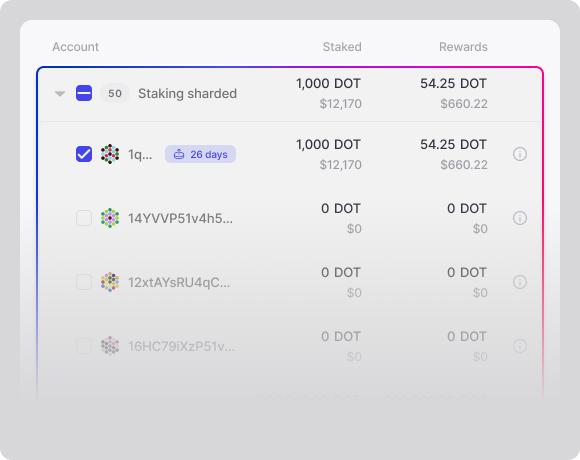 If you choose a  **Multishard** wallet, select **shard(s)** with the checkbox in order to start making the multishard operation.
If you choose a  **Multishard** wallet, select **shard(s)** with the checkbox in order to start making the multishard operation.
5. Click on the **Manage stake** button, then the **Return to stake** option.
In case of a Multishard wallet...
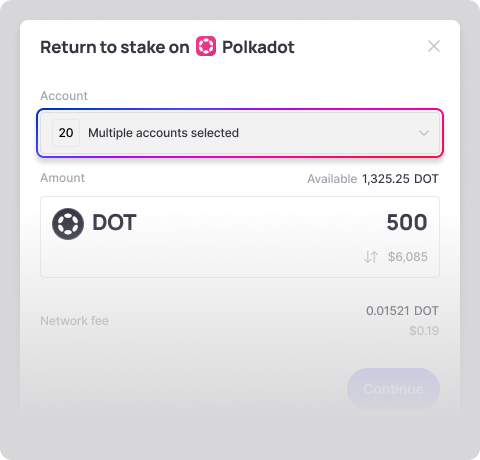 If you choose a **Multishard** wallet, you are able to change your selected **shard(s)** under the drop-down menu.
In case of a  Multisig wallet...
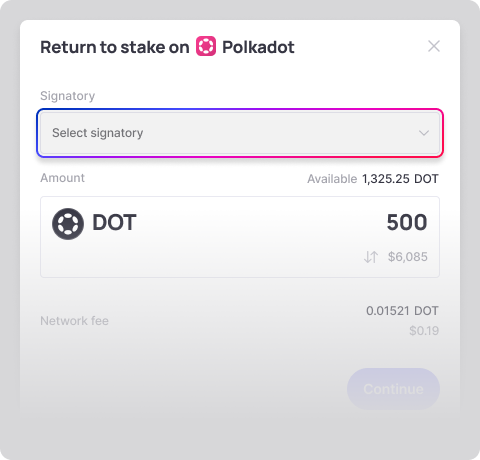 If you choose a **Multisig** wallet and you have more than one signatory, you are able to change your **signatory** account under the drop-down menu.
:warning: This signatory needs to lock up funds for the Multisig Deposit.
If you choose a **Multisig** wallet and you have more than one signatory, you are able to change your **signatory** account under the drop-down menu.
:warning: This signatory needs to lock up funds for the Multisig Deposit.
6. Input the **amount** that you wish to return to stake.
In case of a Multisig wallet...
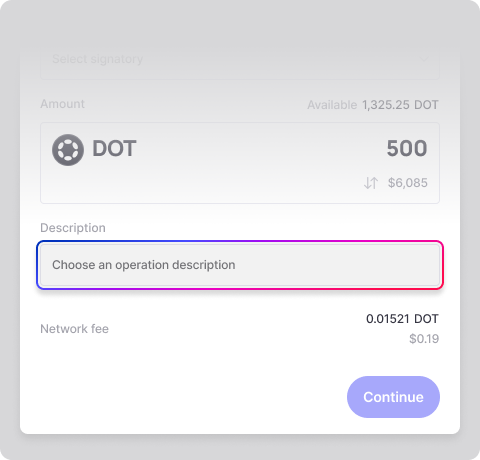 If you choose a **Multisig** wallet, you can add a description of the operation.
7. **Continue** and review all of the contextual information.
8. [Add to basket](/basket/add-operation-to-basket.md) or [Sign the operation](/operations/operations-signing.md).
{% hint style="warning" %}
The Basket is supported by Multishard Polkadot Vault or Polkadot Vault with Dynamic derivations accounts.
{% endhint %}
{% hint style="info" %}
The way of signing depends on the [wallet type](/wallet-management/wallet-types.md).
{% endhint %}
